Windows 11 users are facing another update headache after the May 2026 mandatory update caused installation failures on some PCs.
Microsoft has officially acknowledged the issue with update KB5089549.
Affected users may see errors such as 0x800f0922, 0x80240069, or 0x80240031.
The update may try to install automatically, then fail before completion.
Hidden system storage may be the problem
According to the report, the issue appears connected to the EFI System Partition, also known as ESP.
This hidden system partition stores important boot files used when a PC starts.
Many systems set this partition at around 100MB.
However, some users may have less free space remaining inside it.
Driver updates from hardware brands or dual-boot operating systems, such as Linux, can reduce available ESP space.
The May 2026 update reportedly needs at least 10MB of free space.
If the partition has too little room, the update can fail.
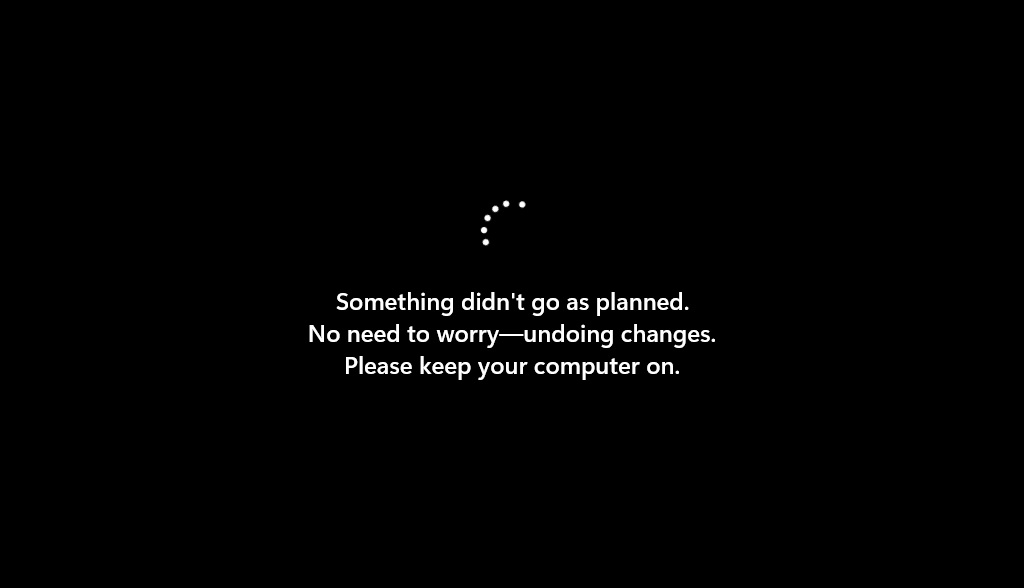
Installation can freeze around 35 percent
Affected users may see the update download normally.
After restarting, the installation progress may reach around 35 percent to 36 percent, then stop.
Windows may then show a message saying something did not go as planned.
The system may roll back changes and return to the desktop.
In worse cases, some users may face boot loops, failed recovery, or noticeably slower system performance.
Microsoft has pushed an emergency fix
The good news is that Microsoft has already pushed an emergency server-side fix through Known Issue Rollback, or KIR.
This fix should reach normal consumer devices automatically.
Users do not need to manually edit the Windows Registry.
Microsoft suggests restarting the PC or notebook a few times so the system can receive and apply the emergency fix.
Some side effects remain
Even after successful installation, some users still report strange behavior.
One issue involves Taskbar hover animations disappearing.
Some users also notice that the PC restarts more than 2 or 3 times during the update.
Microsoft says this repeated restarting may happen because the system is updating Secure Boot security components in stages.
How to check if your PC is ready
Users who want to check future update readiness can inspect the free space inside the system partition.
This can be done through PowerShell with administrator privileges.
If the EFI System Partition has more than 11MB of free space, the system should have enough room for the update process.
Windows 11 update failures are frustrating because most users never even see hidden partitions like ESP. Microsoft’s emergency fix helps, but this also shows why automatic updates need better pre-checks before forcing users into failed installs and scary restarts.
Origin: Windowslatest