How to avoid RTX 5090 Melting Cable Issues: Expert Safety Tips
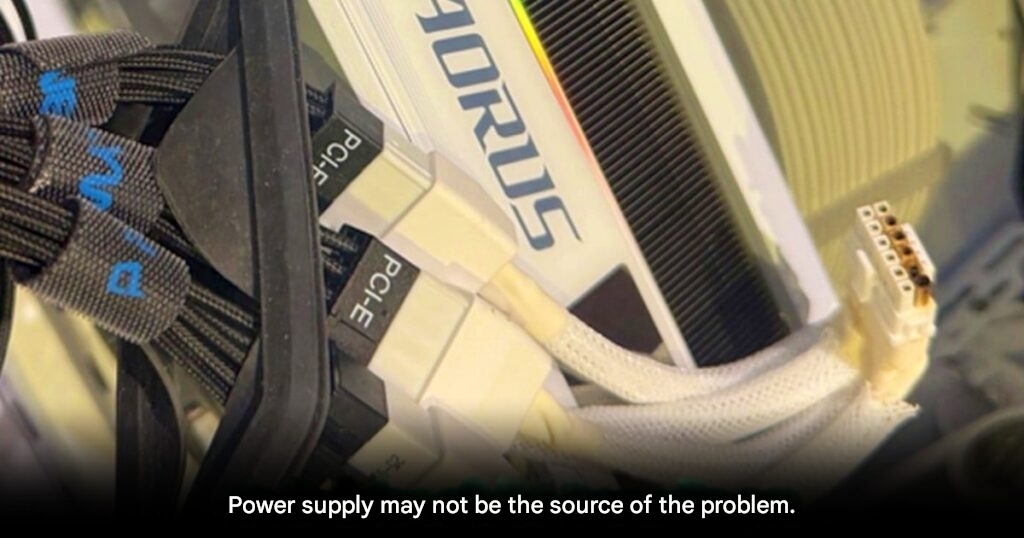
RTX 5090 Still Suffers Cable Melting Despite New Connector Design
High-end PC users face renewed concerns. Reports now show that the NVIDIA GeForce RTX 5090 still suffers power connector failures.
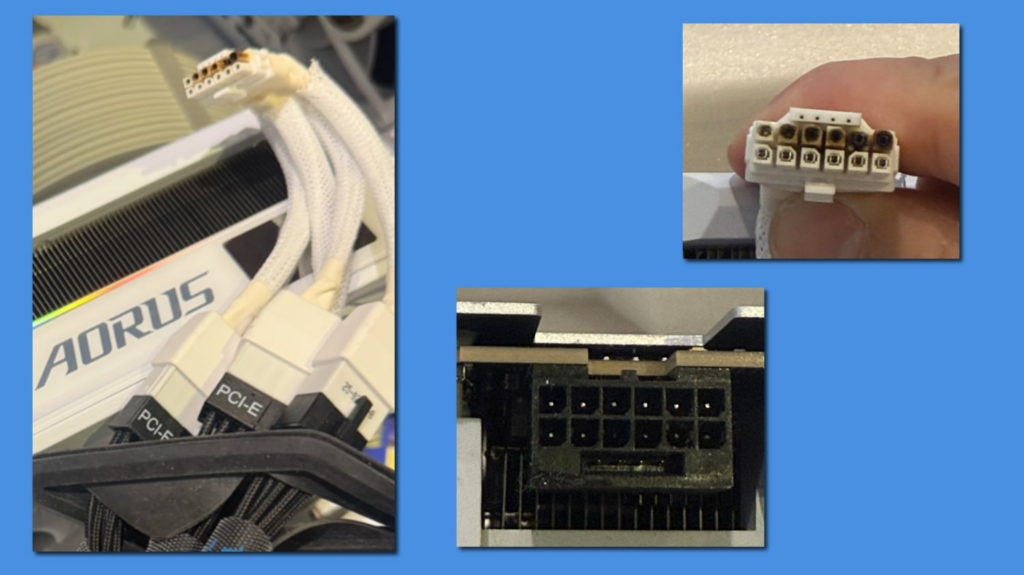
A recent case surfaced on the Mobile01 forum. The damaged card was an AORUS GeForce RTX 5090 MASTER ICE from GIGABYTE. The 12V-2×6 connector overheated and partially melted.
Power Was Reduced Yet Damage Still Happened
Notably, the owner did not run the card at default settings. Instead, they applied an aggressive undervolt.
The GPU operated at 0.9 volts. This value sits far below stock levels. In addition, the user capped power draw at 500 watts instead of the standard 600 watts.
However, these precautions did not prevent failure. The connector still overheated during normal use. As a result, visible burn marks appeared on both the cable and socket.
Adapter Use Remains a Key Risk Factor
Early inspection points to the bundled power adapter as a major factor. The user relied on a four 8-pin PCIe to single 16-pin adapter.
Although the cable was fully seated, experts warn about uneven power distribution. When load spreads unevenly, individual pins heat up faster. Over time, this heat builds to dangerous levels.
Therefore, adapters continue to pose risks. This issue persists even with the newer 12V-2×6 standard.
Not an Isolated RTX 5090 Case
Unfortunately, this problem does not affect only one model. Similar incidents appeared with other flagship GPUs.
Past reports include GeForce RTX 5080 and Radeon RX 9070 XT. These cases suggest a broader issue with high-wattage 16-pin connectors.
As power demands increase, tolerance margins shrink. Consequently, long gaming sessions amplify risk.
Hardware-Level Protection May Be the Long-Term Fix
Some PSU manufacturers already respond to this threat. Brands like MSI and XPG now test hardware-level current monitoring.
These systems cut power instantly when abnormal heat or load appears. Importantly, this protection activates before physical damage occurs.
Many enthusiasts hope this feature becomes standard for 1000W and higher power supplies.
What RTX 5090 Owners Should Do Now
If you own an RTX 5090, regular inspection is essential. Always check for discoloration or heat marks around the connector.
Whenever possible, use a native ATX 3.1 cable from the power supply. Avoid bundled adapters unless no alternative exists.
Given GPU prices that exceed USD 2,000, caution remains critical. Until standards improve, vigilance is the best defense.
Origin: Tweaktown