Android 17 Rolls Out with New Features for Gaming, Security, and Everyday Use
Google has officially started rolling out Android 17, bringing a fresh set of features designed to make phones smoother, safer, and more convenient to use.
The update is arriving first on Pixel devices, with other eligible Android devices expected to receive the update throughout 2026. This version focuses on practical improvements across multitasking, gaming, content creation, privacy, and system performance.
App Bubbles Make Multitasking Faster
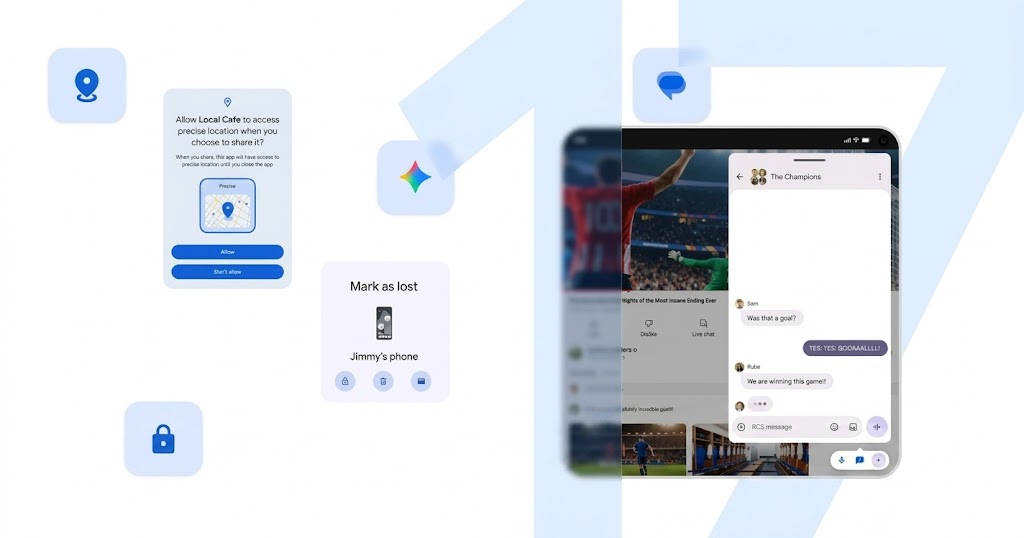
One of the key additions in Android 17 is App Bubbles. This feature lets users turn apps into floating windows, making it easier to move between tasks without fully switching screens.
Users can keep apps on top of other apps, which should help when checking maps, watching tutorials, taking notes, or following live information while doing something else.
On larger-screen devices, bubbles can also be docked into a dedicated bar, making app switching faster and cleaner.
Foldable Gaming Gets a Major Boost
Android 17 also brings a new foldable gaming mode for players using foldable smartphones.
This mode splits the display into two sections. The upper half shows the game, while the lower half becomes a dynamic controller area. This creates a more console-like mobile gaming setup, especially for games that benefit from a clearer screen and dedicated touch controls.
Google also improved memory cleanup for high-definition gaming, helping reduce frame drops and stuttering during gameplay. Players using external controllers can also look forward to native controller remapping.
Screen Reactions Help Creators Record Faster
For content creators, Android 17 introduces Screen Reactions.
This feature lets users record their phone screen and capture their face through the selfie camera at the same time. That makes it easier to create reaction videos, tutorials, app walkthroughs, and social clips without jumping between multiple tools.
For creators who regularly make short-form content, this could become one of the most useful everyday features in the update.
Privacy and Security Get Stronger
Android 17 also improves user control over personal data. Apps can now receive temporary access to precise location, giving users more flexibility instead of granting long-term permission.
The update also lets users share only selected contacts with an app instead of giving access to the entire address book. This gives users better control over how much personal information an app can see.
Another major safety feature comes through Find Hub. The improved “Mark as lost” option lets users lock a missing phone using biometric authentication. This adds extra protection even if someone else already knows the device passcode.
Cleaner Home Screens and Better Sound Control
Google also added more customization options in Android 17. Users can hide app names on the home screen for a cleaner and more minimal look.
The update also separates volume control for the system and the Assistant. This gives users more control over how loud different parts of the phone experience should be.
These are smaller changes, but they can make daily use feel more personal and polished.

Better Performance Under the Hood
Android 17 also includes performance improvements behind the scenes. Google introduced app memory limits to help prevent apps from using too much RAM.
This should improve overall performance and battery life, especially on devices where background apps can affect smoothness.
For everyday users, the goal is simple: fewer slowdowns, better stability, and a more reliable Android experience.
Android 17 feels like a practical update rather than a flashy one, and that is not a bad thing. Features like App Bubbles, Screen Reactions, foldable gaming mode, and stronger privacy controls directly affect how people use their phones every day. For SEA users waiting on non-Pixel devices, the main question now is how quickly each brand can deliver the update across its own lineup.
Origin: Google