Google Chrome Adds Skills Feature to Save and Reuse Gemini AI Prompts
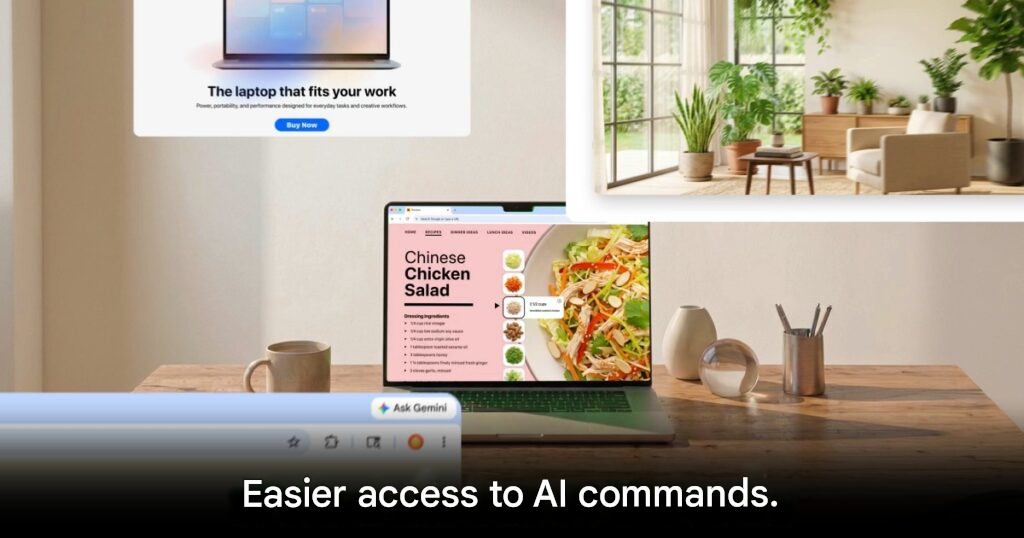
Google Upgrades Chrome with Skills to Remember Your AI Commands
Google has introduced a new Chrome feature called Skills, designed to make AI-assisted browsing much faster and more convenient. Instead of typing the same prompts over and over again, users can now save their favorite Gemini commands and call them back instantly whenever needed.
This marks another big step in Google’s effort to make Gemini feel like a natural part of everyday web browsing, especially as competition in the AI browser space continues to heat up.
A Faster Way to Use AI in Chrome
Until now, Gemini inside Chrome mainly worked as a one-off assistant for summarizing pages or answering questions in the moment. Skills changes that by letting users create reusable shortcuts for prompts they use often.
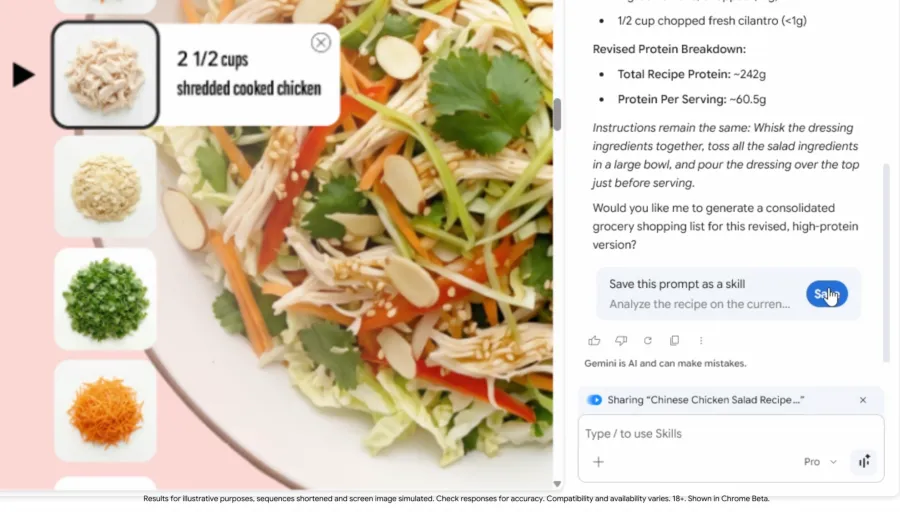
For example, someone browsing recipe websites could save a prompt that asks Gemini to suggest vegetarian substitutes for meat. The next time they open a recipe page, they can trigger that saved instruction with a single click instead of rewriting it from scratch.
That simple change makes repeated tasks feel much smoother and more practical.
How Chrome Skills Works
Using the feature is straightforward. A prompt from your Gemini chat history can be saved as a Skill, then reused later on other web pages.
When you want to activate it, you can type a slash / or click the plus + button in the Gemini bar inside Chrome. Your saved Skills will appear as quick options, ready to run on the page you are viewing.
Google also allows some Skills to work across multiple tabs, which could be especially useful for people comparing information, researching, or handling large amounts of content at once.
Useful for Work, Shopping, and Everyday Tasks
Early usage suggests that people are already using Skills in a variety of practical ways.
Some are building Skills for health-related tasks, such as calculating protein in recipes. Others are using them for shopping comparisons, document summaries, or budgeting workflows. Google is also offering a Skills Library with ready-made templates, giving new users a starting point they can customize later.
This makes the feature feel less like a gimmick and more like a real productivity upgrade.
Privacy and Control Still Matter
Google says Skills will always remain under user control. Before carrying out important actions such as sending an email or adding an event to a calendar, the system will still ask for confirmation.
Users can also edit or delete saved Skills at any time, which helps keep the feature flexible and avoids letting AI run too freely on its own.
Available Now, With One Catch
Skills is rolling out now for Chrome users on desktop who are signed in with a Google account. At launch, though, it only supports browsers set to English.
Even with that limitation, the feature already points to a future where AI does more than answer questions. It can remember how you like to work and help you do it faster every time.
Origin: Techcrunch


