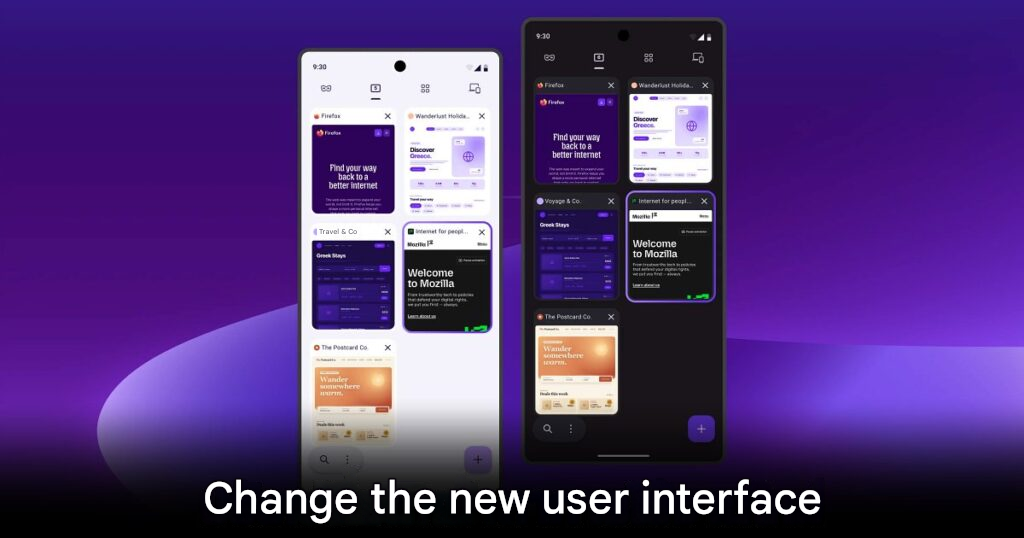
Mozilla has officially confirmed a major redesign for Firefox under the internal development name Project Nova.
The update aims to refresh both the look and usability of the browser while keeping its core identity intact. Instead of rebuilding Firefox from zero, Mozilla describes the change as a restoration and expansion designed to help the browser keep up with today’s faster and more privacy-conscious internet.
The public release is planned for later this year, but curious users can already try parts of the new experience through Firefox Nightly.
Project Nova Focuses On Privacy And Ease Of Use
One of the biggest goals of Project Nova is to make Firefox’s privacy tools easier to find and use.
The redesigned interface will bring key features like the built-in VPN and Private Browsing mode into more visible areas. This should help newer users understand Firefox’s privacy strengths without digging through confusing menus.
Mozilla also plans to make the overall experience feel more consistent across PC, notebooks, and smartphones. That matters because users now expect browsers to feel familiar across every device they use.
Firefox Gets A Warmer Visual Refresh
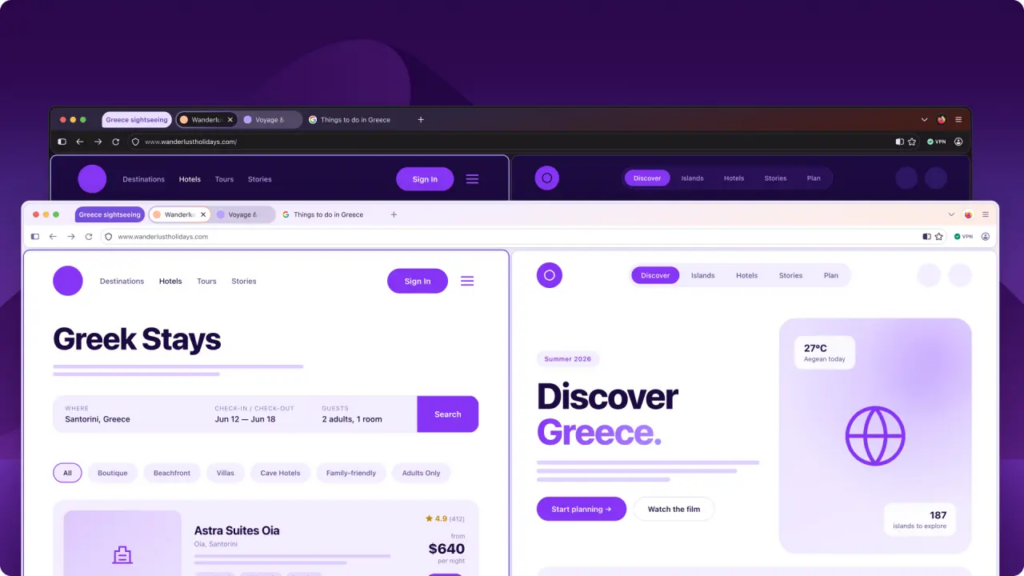
The new Firefox design will also bring a softer and more modern look.
Tabs will use a more rounded shape, while icons will receive a cleaner refresh. Mozilla is also choosing warmer colors inspired by the feeling of fire, keeping the browser modern without making the interface too distracting.
Menus and control panels will also follow a more unified design direction. This should make Firefox feel less fragmented and easier to navigate, especially for users who switch between desktop and mobile versions.
Settings Get A Full Redesign
The Settings menu is getting a major overhaul as well.
Mozilla wants users to understand and manage privacy controls more easily. This includes clearer options for Enhanced Tracking Protection, allowing users to choose between stronger privacy protection or smoother website loading depending on their needs.
A major highlight is the new AI kill switch. This option allows users to completely turn off AI-related features if they do not want them active in the browser.
That feature feels especially important now, as more platforms add AI tools by default. Giving users a clear way to disable them strengthens Firefox’s privacy-first identity.
Mozilla Promises Faster Browsing
The redesign is not only about looks.
Mozilla says Firefox users should feel a real speed improvement. Over the past year, the development team improved how quickly Firefox loads important page content by up to 9%.
The browser’s tracker-blocking tools can also help pages load faster, since blocking ad trackers may reduce unnecessary background activity.
Firefox has often faced pressure from Chromium-based browsers like Google Chrome and Microsoft Edge in speed tests. Project Nova appears to be Mozilla’s answer to that challenge, combining cleaner design with performance improvements.
Better Tabs And Customization Are Coming
Project Nova should also appeal to users who love organizing their browser workspace.
Mozilla will add or improve features such as Tab Groups, Split View, and easier access to Vertical Tabs. These tools can help users manage many pages at once without losing control of their workspace.
The return of Compact Mode is another welcome change. Many longtime Firefox users prefer a tighter interface, and Mozilla appears to be responding to that feedback.
The update will also add new themes, new wallpapers, and improved accessibility support. These accessibility upgrades aim to make reading, keyboard control, and dark mode easier and more comfortable.
How To Try Project Nova Early
Users who want to test Project Nova early can do so through Firefox Nightly.
After installing Nightly, users can open the advanced configuration page by typing about:config into the address bar. From there, they can add a new option called browser.nova.enabled, then change its value from False to True before restarting the browser.
However, users should remember that Firefox Nightly is still a test version. It may contain bugs, crashes, or stability issues, so it may not be ideal for daily work.
THIS IS our take
Mozilla Project Nova feels like a smart move because Firefox does not need to become a different browser. It needs to become a clearer, faster, and more confident version of itself. The improved privacy tools, AI kill switch, tab management features, and warmer design direction could help Firefox stand out again, especially among users who want more control over their browsing experience.
SOURCE: Neowin