Google Rolls Out Urgent Fix for Android Auto Issues on Pixel and Galaxy Devices
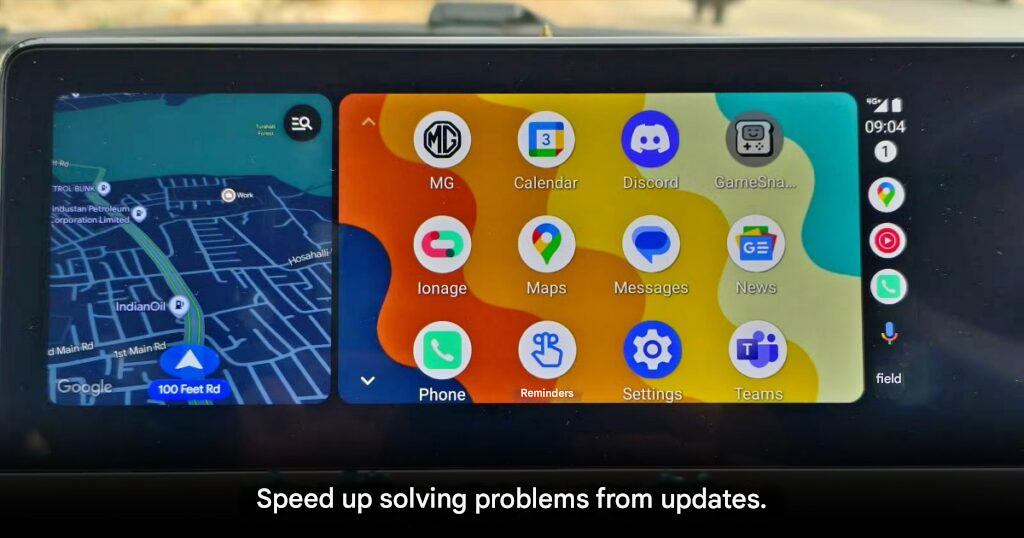
Following a massive wave of complaints across social media and tech forums, Google has officially acknowledged the severe Android Auto connectivity issues plaguing Google Pixel and Samsung Galaxy smartphone users. A company representative confirmed that they are well aware of the frustrating glitches and have already begun rolling out software fixes through the Google Play Store to restore system stability.
The Scope of the Problem
The complaints have grown significantly over the past two weeks. Countless users reported that their Android Auto connections were constantly dropping or completely freezing mid-drive, severely disrupting their GPS navigation and music streaming. The hardest-hit demographic seems to be users rocking newer devices, specifically the latest Google Pixels and the Samsung Galaxy S Series lineup, ranging from the S23 all the way to the recently launched S26.
Most Common Symptoms Reported:
- Unlock Prompts: The system aggressively demands users to unlock their phone screen before connecting to the car, even if the “Start Android Auto while locked” setting is enabled.
- Black Screens: The infotainment display goes completely dark during use.
- Total Freezes: The application locks up entirely, requiring a full device reboot to function again.
- Connection Drops: These issues are occurring on both wired USB connections and wireless setups.
Community Theory: Many users suspect that the core of the issue stems from the recent March 2026 security patch. Specifically, there is speculation that the “Advanced Protection Mode” in Android 16 might be overly aggressive, blocking USB port access and preventing Android Auto from recognizing the car’s connection.
While Google has not officially confirmed the exact technical trigger behind the bug, they emphasized that their engineering team is working around the clock to address the problem across all dimensions to ensure safe and seamless in-car usage.
How to Fix It Right Now
For anyone currently suffering from these frustrating disconnects, experts recommend taking the following steps:
- Check for Updates: Regularly check the Google Play Store for the latest Android Auto app update. If an “Update” button is visible, install it immediately.
- Clear Cache: Go to your phone’s settings, find the Android Auto app, and clear its cache to remove any corrupted temporary data.
- Swap Cables: If you are using a wired connection, swapping to a brand-new, high-quality USB cable can often temporarily mitigate connection drops.
Google’s rapid response to this situation is highly commendable. Android Auto has become an absolutely vital part of the daily commute for millions, and rolling out a timely fix is crucial for maintaining consumer trust—especially for users who invested heavily in premium flagship devices and expect a flawless experience.