Google Redesigns Gemini Live on Android with Simpler In-App Experience
Google is rolling out a major visual update for Gemini Live, its voice interaction feature, bringing a cleaner and more integrated design to Android users. After maintaining the same look since launch, the feature is now being tested with a new UI that removes the fullscreen experience entirely.
The redesign aims to make interactions feel more seamless by embedding Gemini Live directly into the main app interface.
Goodbye Fullscreen, Hello Simplicity
Previously, Gemini Live operated in a fullscreen mode with bold visuals that clearly separated it from the rest of the app. With the new update, Google is shifting toward a lighter, less intrusive design, allowing users to stay within the app while interacting with the AI.
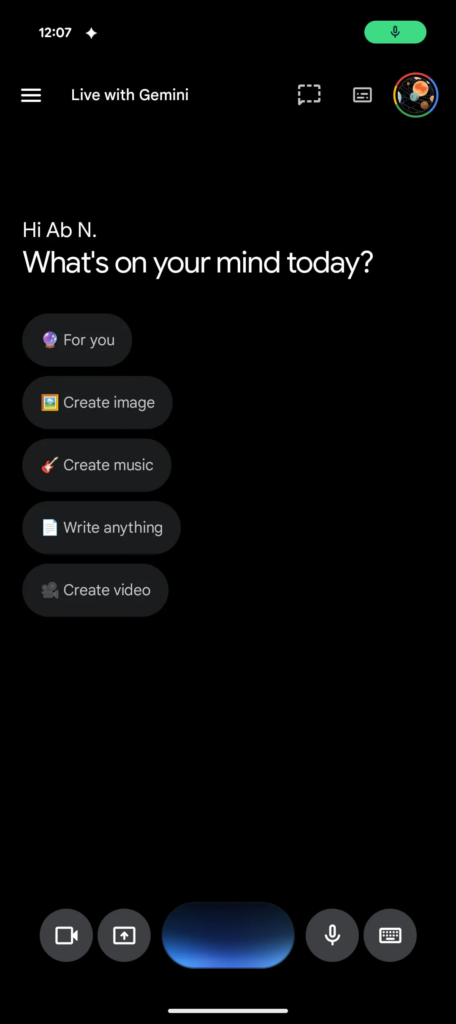
The header now displays “Live with Gemini”, along with a more visible transcript button for reviewing conversations. This change enhances accessibility and keeps key features within easy reach.
A More Functional and Streamlined Interface
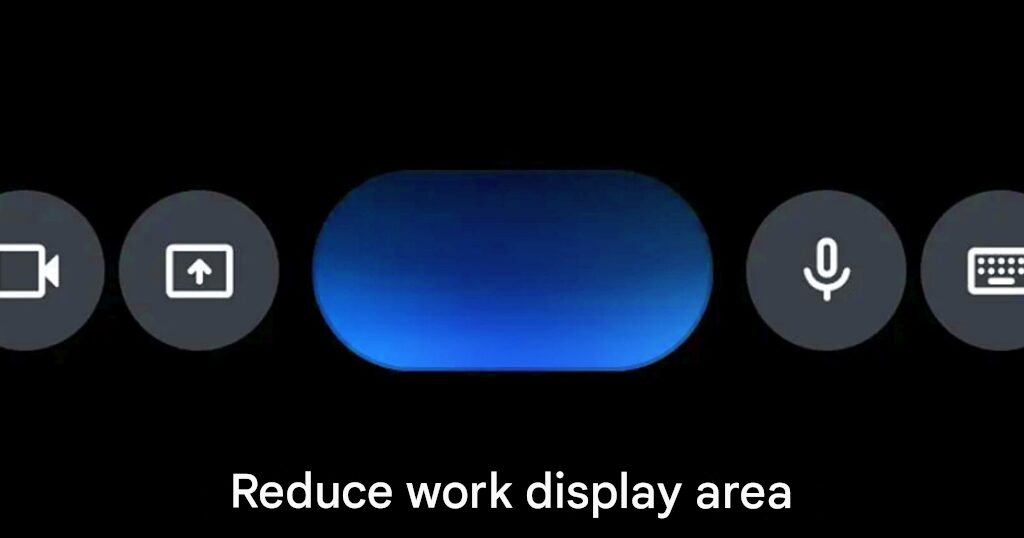
The bottom section of the UI has also been redesigned. The traditional text input area has been replaced with a capsule-shaped bar featuring a blue waveform, representing active voice interaction.
New controls have been added to improve usability:
- A camera and screen-sharing button on the left, allowing Gemini to analyze visuals
- A microphone toggle on the right for quick control
- Easy exit options using the keyboard icon or system back gesture
This updated layout focuses on clarity and ease of use, addressing past feedback where certain controls, like the microphone toggle, were harder to access.
Gradual Rollout Through Beta Version
The redesign is currently being rolled out to users on the Google App Beta version 17.14. While the changes are currently limited to the Gemini app, reports suggest that overlay interfaces across other apps may also adopt a similar design in the future.
This would ensure a more consistent experience across the Android ecosystem.
A Shift Toward Everyday AI Integration
Removing fullscreen mode is a notable move, especially since the vibrant full-display interface was a key part of Gemini’s identity. However, the new approach aligns with a broader goal of making AI feel like a natural part of everyday smartphone use.
By allowing users to interact with Gemini while staying within their current context, Google is positioning the feature as a continuous assistant, rather than a separate tool that requires full attention.
This update reflects a growing trend toward frictionless AI integration, where speed and convenience take priority over visual immersion.
Origin: 9to5google