Google Launches Native Gemini App for Mac with Advanced AI Capabilities
Google has officially expanded its AI ecosystem by releasing a native version of Gemini for macOS, marking a significant step in bringing its AI assistant beyond the browser and directly into everyday desktop workflows. Designed specifically for Apple devices, the app integrates deeply with the operating system, allowing users to access AI tools faster and more naturally while working.
Unlike browser-based usage, the native app delivers a smoother and more responsive experience, enabling users to interact with Gemini without breaking their focus. The goal is simple but impactful. Keep users within their workflow while letting AI handle complex tasks in the background.
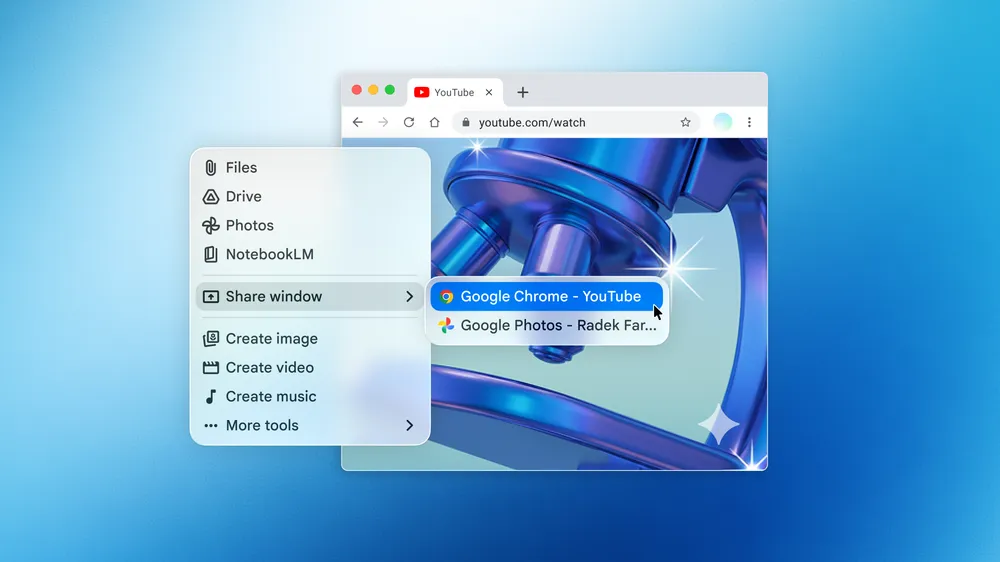
One of the standout features is the ability to share specific windows or on-screen content with Gemini in real time. Whether it is a document, a spreadsheet, or a detailed chart, users can ask questions directly based on what is visible. For example, asking the AI to summarize key insights from a graph or extract important points from a report becomes almost effortless. This functionality significantly reduces the time needed to interpret complex information, making it especially useful for analysts, professionals, and creative workers.
To make interaction even faster, Google has introduced a keyboard shortcut that feels instantly natural on macOS. By pressing Option + Space, users can bring up Gemini at any time, without switching apps or interrupting their workflow. This small but thoughtful addition helps maintain focus and productivity, allowing users to quickly retrieve information, check data, or solve problems without losing momentum.
The app also opens new doors for creative workflows. Users can generate images using Nano Banana or create videos through Veo, all within the same interface. This eliminates the need to jump between multiple tools, making the process of turning ideas into actual content much faster and more fluid. For content creators and designers, this level of integration can significantly streamline the creative process.
Google has made the app available for free to all Gemini users running macOS 15 or later, lowering the barrier to entry for anyone curious about AI-assisted workflows. At the same time, more advanced features remain part of the Google One AI Premium subscription, which is priced at 20 USD per month. This tiered approach allows casual users to explore the basics while offering deeper functionality for those who rely on AI more heavily in their daily tasks.
This release represents more than just another app launch. It signals Google’s intention to position Gemini as a true desktop assistant that operates alongside users rather than inside a browser tab. By embedding AI directly into the operating system experience, Google is pushing toward a future where intelligent assistants are always within reach, ready to support both simple and complex tasks in real time.
As development continues, Google has hinted that more features and improvements are already on the way. If the current version is any indication, the native Gemini app on Mac could quickly become an essential tool for users looking to work faster, think smarter, and create more efficiently.
Origin: Google