iOS 27 Changes Notification Center After 15 Years
iOS 27 Makes a Major Usage Change After 15 Years on iPhone and iPad
The iOS 27 update comes with a major change that challenges a habit users have had for around 15 years.
Since the era of iOS 5, many iPhone and iPad users have been familiar with swiping down from the top edge of the screen to open Notification Center. However, Apple has now brought Siri AI into that gesture in a bigger way.
This means a familiar action that many users have used for years will now have a new purpose in Apple’s latest operating system.
Siri AI Takes Over the Main Swipe-Down Gesture
When Siri AI is enabled, swiping down from the middle of the top edge of the screen will now open the AI interaction window instead.
Because of this, the old way of opening notifications must move aside for the smarter experience that Apple is prioritizing in its newest system.
This change clearly shows how much importance Apple is giving to Siri AI in iOS 27.
Notification Center Still Has a Shortcut
Even though the familiar gesture has changed, Apple has not removed quick access to notifications completely.
Users who still want to open Notification Center quickly can swipe down from the upper-left corner of the screen. This will still open Notification Center as before.

The new design is focused on managing screen space and giving Siri AI a larger role than before.
Bigger Change on iPad
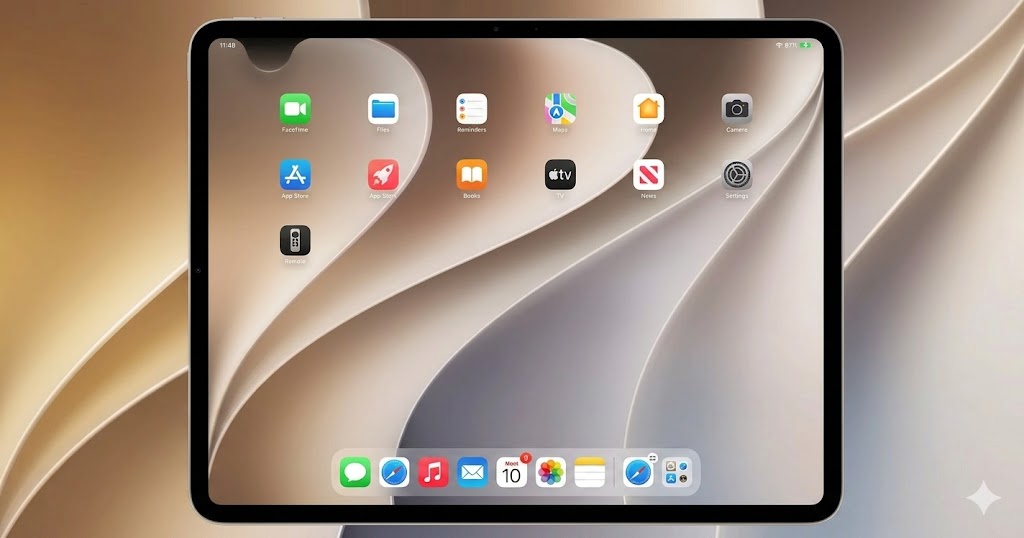
On iPad, the change is even more noticeable.
Most of the area above the app icons on the home screen has been designed specifically to call up Siri AI. This means the available area for opening Notification Center may become smaller if certain display settings are used.
For users who prefer a simple and familiar interface, this is a fairly large UI structure change.
Early Feedback Has Been Positive
Even though this change affects a long-standing habit, early feedback from people who have tried the new Siri AI system has reportedly been very positive.
Many users feel that easier access to a smarter assistant is worth the need to retrain muscle memory.
At first, the change may feel uncomfortable. However, over time, giving commands through AI may become the new normal that users eventually get used to.
Focused Mainly on iPhone and iPad Touch Experience
For those worried about using notebooks or other devices in the Apple Ecosystem, this change should not be a major concern.
The redesign mainly focuses on the touch experience on iPhone and iPad.
Users may need time to adjust, but the increased intelligence of Siri AI may help make the transition easier.
iOS 27 shows how serious Apple is about making Siri AI part of everyday device use. Changing a gesture that users have relied on since iOS 5 is a bold move, and some users may need time to adjust. Still, if Siri AI becomes useful enough, this new interaction could eventually feel natural instead of disruptive.
Origin: 9to5mac