Steam Machine Windows 11 Drivers Are Now Available, But There’s a Catch
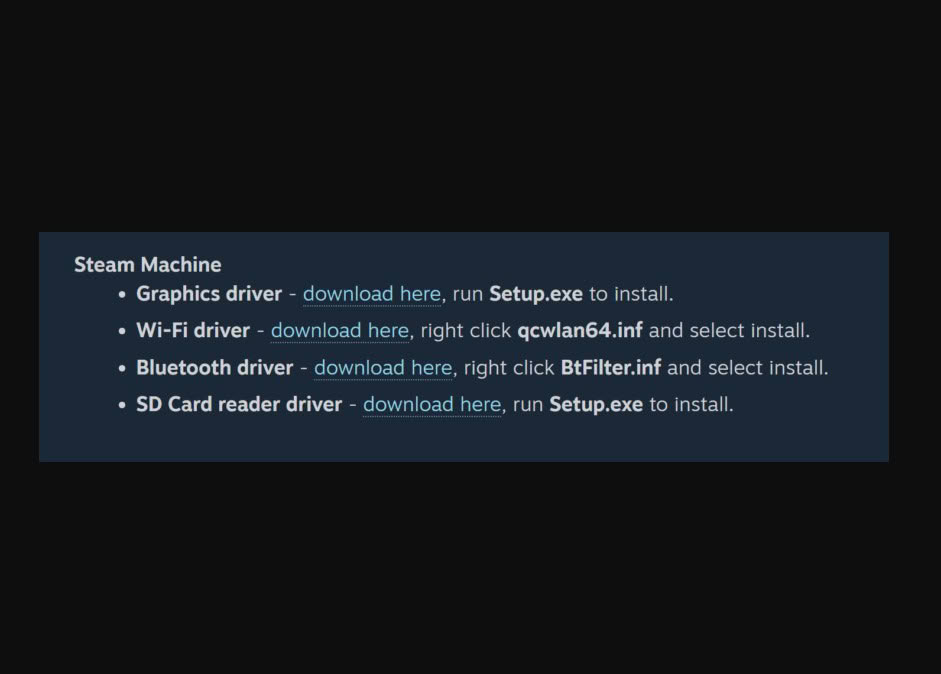
Steam Machine users who have been waiting to turn the device into a full Windows 11 gaming setup finally have a clearer path forward, as official driver support is now available for download.
The new driver package should make installing Microsoft’s operating system smoother than before, especially compared to the early period when users had to figure out several hardware compatibility issues on their own.
Windows 11 setup is now easier on Steam Machine
According to the source, the newly released drivers help make Windows 11 installation on Steam Machine more complete and practical.
The driver package improves support for key areas such as power management, controller compatibility, and display output. These are important parts of the experience because a gaming-focused device needs to handle performance, input, and visuals properly before it can feel like a reliable Windows gaming machine.
For users who want access to more PC gaming options, this update makes the idea of using Windows 11 on Steam Machine much more tempting.
The catch is SteamOS still has advantages
However, the source also notes that the move to Windows 11 comes with several trade-offs.
Not every feature from the original SteamOS experience will carry over perfectly. Some special shortcut functions designed around Steam Big Picture may not work in the same smooth way under Windows 11.
Players who rely on one-button access to gaming menus or Steam-specific convenience features may need extra software setup or third-party tools to recreate some of that functionality.
Thermal behavior may be different
Another important limitation involves heat and fan behavior.
The source explains that thermal management may not be tuned as tightly for Windows 11 as it is for the device’s default operating system. During heavier gaming sessions, the fan may become louder than usual, and the system may heat up faster compared to using SteamOS.
This does not mean Windows 11 is unusable, but it does mean users should not expect the exact same polished thermal behavior that the original system provides.
Back up SteamOS before switching
Before wiping the device and installing Windows 11, hardware experts recommend backing up the original SteamOS setup first.
This is important because some users may eventually decide that the Windows experience does not match what they expected. Having a backup gives them a safer way to return to the original system, especially if they prefer the stability, simplicity, and console-like feel of SteamOS.
For SEA players who like experimenting with different operating systems, this is a practical step that could prevent major headaches later.
Best for users who need broader Windows access
The biggest advantage of installing Windows 11 is flexibility.
With Windows, users may be able to access games from other platforms and run software that is not available on SteamOS. This makes the new driver release useful for people who want their Steam Machine to behave more like a traditional gaming PC.
Still, the original SteamOS experience remains one of the device’s strengths because it was designed specifically around gaming convenience and system stability.
A useful option, not a mandatory upgrade
The arrival of official Steam Machine Windows 11 drivers is good news for users who want more control over their device.
It makes Windows installation easier, improves important hardware support, and gives players more software freedom. At the same time, the limitations around thermal behavior, special shortcuts, and SteamOS-specific features mean this upgrade is best suited for users who understand the trade-offs.
THIS IS our take
Windows 11 driver support makes Steam Machine more flexible, but it does not automatically make SteamOS obsolete. For SEA players who want more PC freedom, this is a welcome option. For those who value stability and a smooth console-like interface, staying with SteamOS may still be the better choice.