RF ONLINE NEXT Guide: 10 Easy Tips to Know
10 Simple Tips for Playing RF ONLINE NEXT
RF ONLINE NEXT is now live, and many players are already busy leveling, farming, joining wars, and exploring the game’s large sci-fi MMORPG world.
However, the game has many systems that players may forget after the tutorial. Some of these small details can save time, protect resources, reduce wasted currency, and make daily gameplay much smoother.
Here are 10 simple tips every new RF ONLINE NEXT player should remember.
1. Main Quests Can Run on Auto
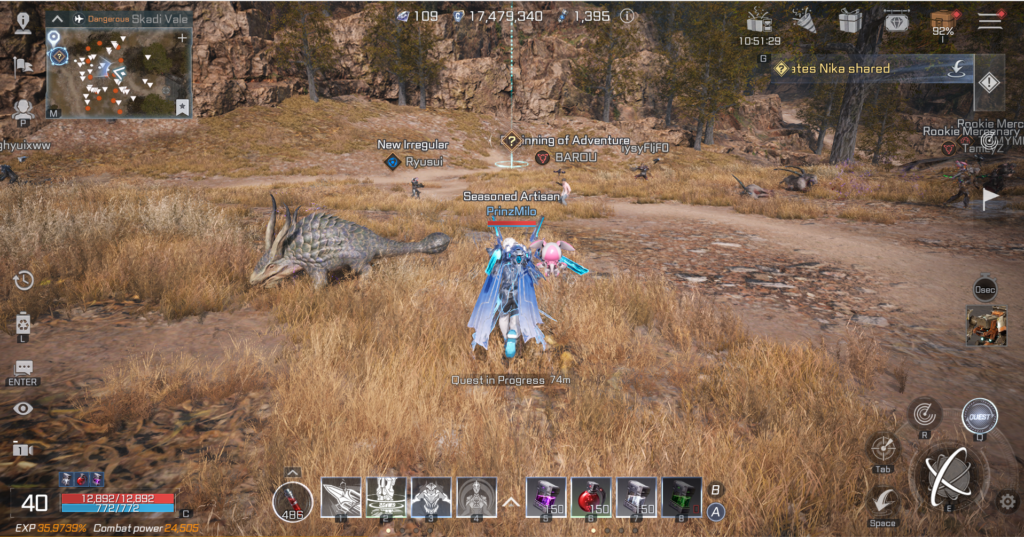
In RF ONLINE NEXT, the main quest is one of the fastest ways to unlock important content.
The game includes an Auto Quest system that lets your character move, talk to NPCs, fight monsters, and continue story progression without constant manual control. This is useful for players who want to unlock more systems while doing other things.
For beginners, the best approach is to push the main quest early so more features, areas, and progression systems become available.
2. Offline Mode Can Farm for Up to 10 Hours
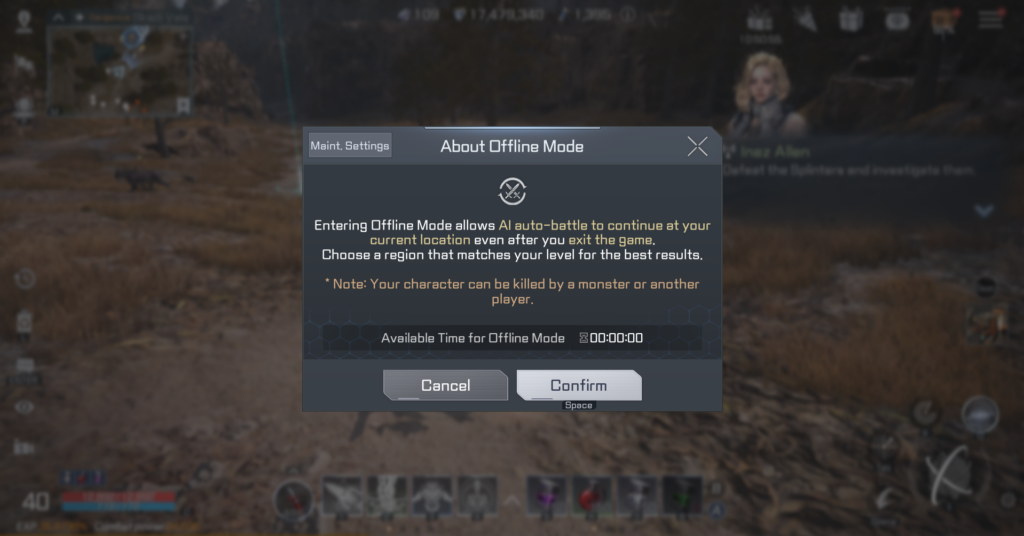
Offline Mode is one of the most useful features in the game.
This system lets AI continue farming for your character even after you close the game. It can be used for up to 10 hours per day, allowing players to keep gaining experience and loot without leaving their PC or mobile device running all day.
However, players should prepare first. Offline Mode does not automatically submit quests or buy new supplies. Before activating it, check your HP potions, skill setup, monster strength, and farming location.
3. Use Warp to Save Travel Time
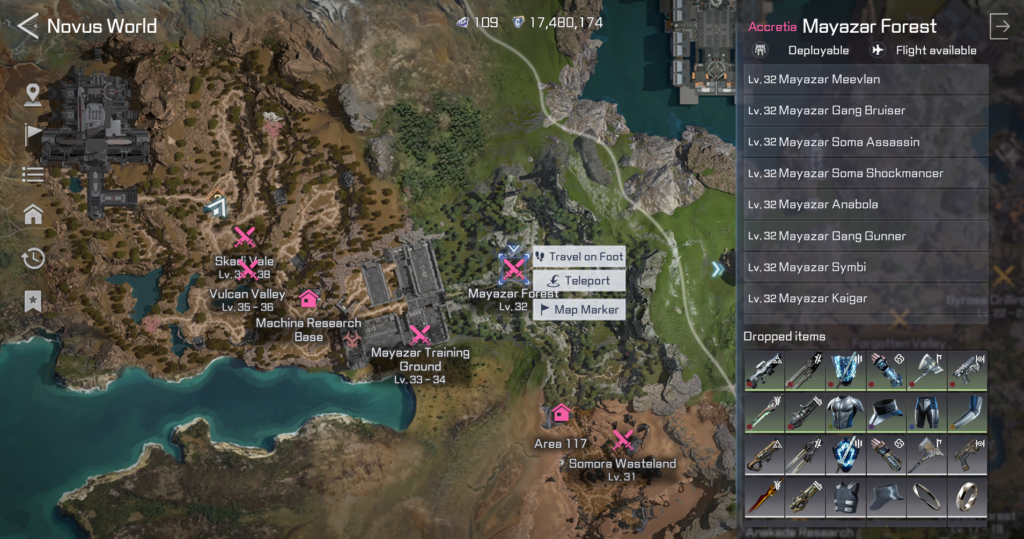
The world of RF ONLINE NEXT is large, and some quests require long-distance travel.
Instead of waiting for your character to run across the map, use the game’s warp function. Some quests show a warp icon beside the quest tracker, allowing you to teleport directly to the target area by spending a small amount of in-game currency.
Players can also open the World Map and choose a location to warp manually. This is a simple but effective way to save time, especially during leveling.
4. Add Unused Items to the Collection
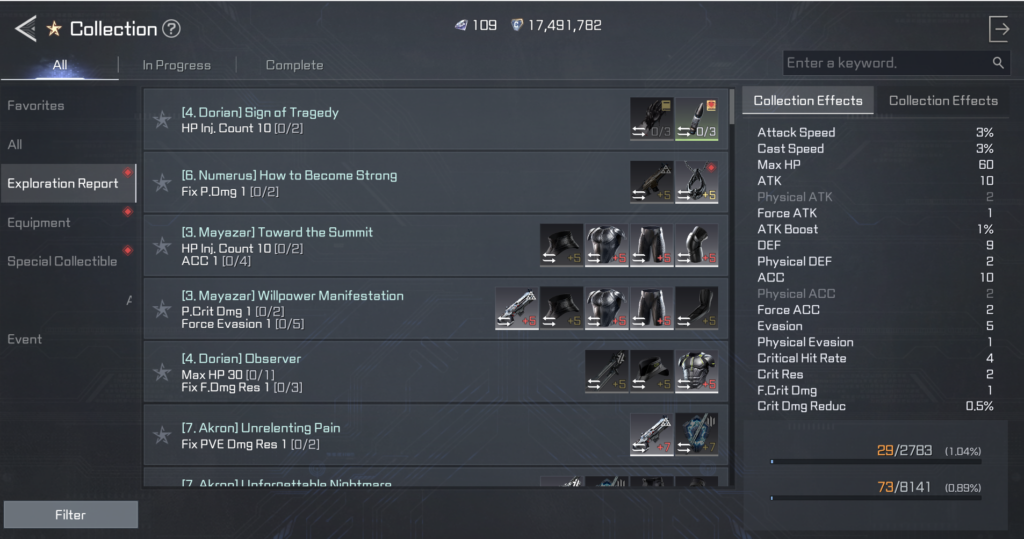
Do not immediately delete or sell unused equipment and low-grade drops.
RF ONLINE NEXT includes a Collection system where players can register certain items to unlock permanent stat bonuses. These bonuses may look small at first, but they become more valuable as they stack over time.
Instead of selling extra weapons, armor, or low-value items for a tiny amount of currency, check whether they can be added to your Collection first.
5. Push Shortcuts Up to Activate Auto Use
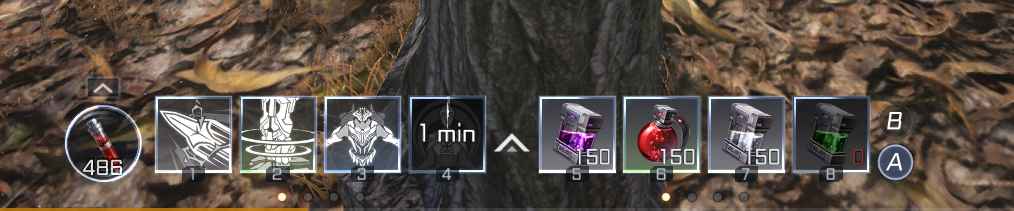
The shortcut bar is not only for manual skill and item use.
Players can place skills, HP potions, buffs, and other usable items on the shortcut bar, then push or swipe the shortcut upward to activate Auto Use. Once enabled, the game will automatically use that skill or item during combat.
This is especially useful while farming or using Offline Mode because it helps your character keep fighting without constant input.
6. Buy Potions from the General Store
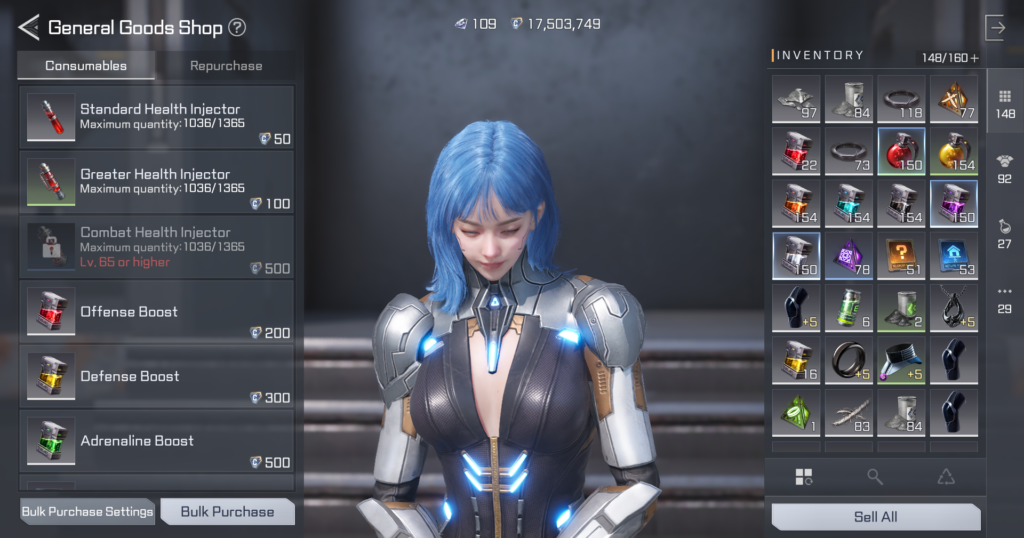
Running out of HP potions during farming is a common beginner problem.
To restock, open the World Map and look for safe zones marked by house icons. These safe areas usually have a General Store NPC where players can buy HP recovery potions and other basic supplies.
Before long farming sessions, always check your potion count. It is better to spend a little time preparing than lose progress because your character runs out of healing items.
7. Keep Return Tickets in Your Bag
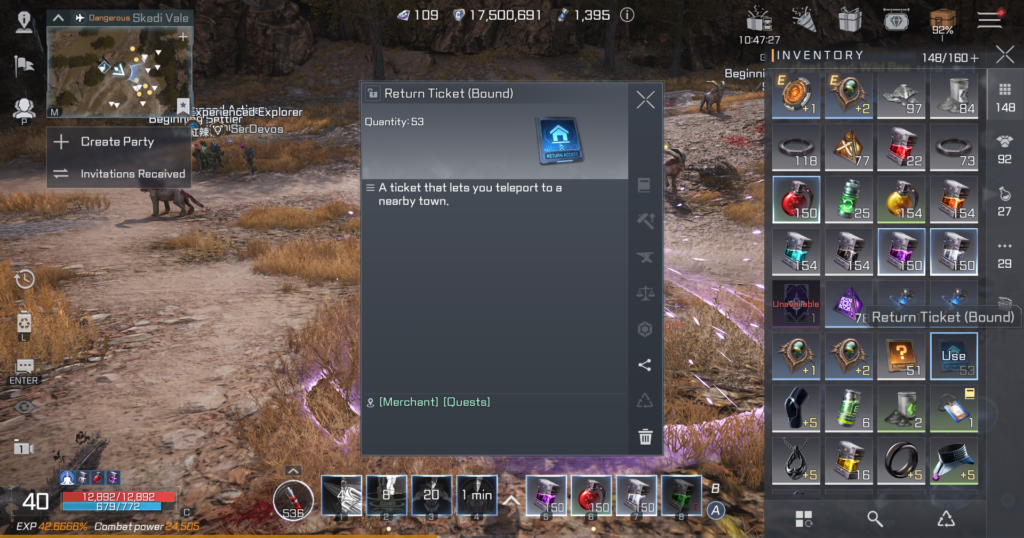
Return Tickets are another useful item that players should keep ready.
These tickets let players warp back to the nearest town or safe zone from their current location. They are usually cheaper than regular warp costs, making them a good way to save currency over time.
For convenience, players can also place Return Tickets on the shortcut bar. When your potions run low, one tap can bring you back to town quickly.
8. Use Side Quests to Catch Up on Levels
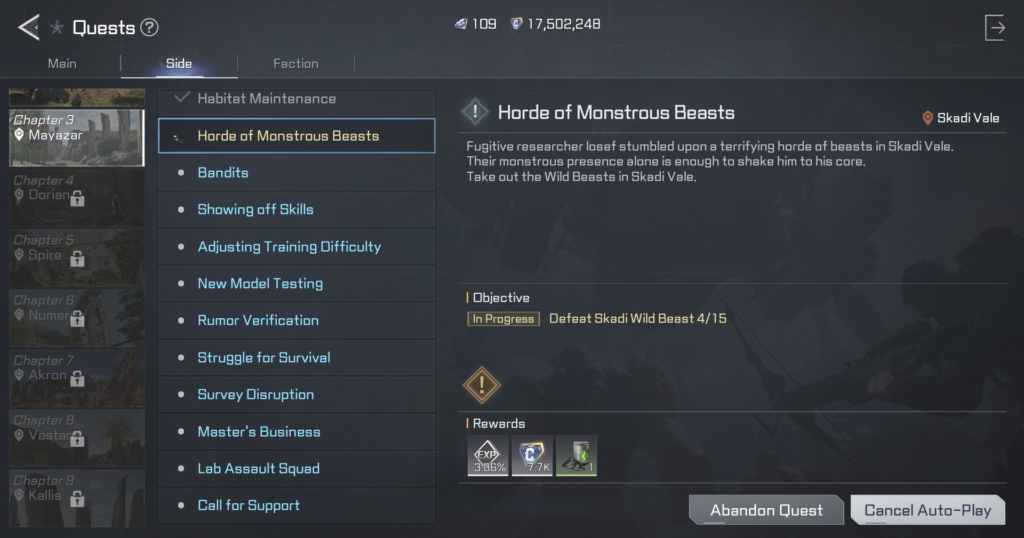
Auto-running the main quest is useful, but players may eventually hit a point where enemies become harder because their level is too low.
When that happens, do not ignore Side Quests.
Side Quests can provide experience, money, items, and extra drops that may also help with Collection progress. They are a good way to close the level gap and make the main quest easier again.
The only downside is that Side Quests need more manual attention. Unlike the main quest, the game may not automatically submit and accept new Side Quests for you.
9. Be Careful When Enhancing Gear
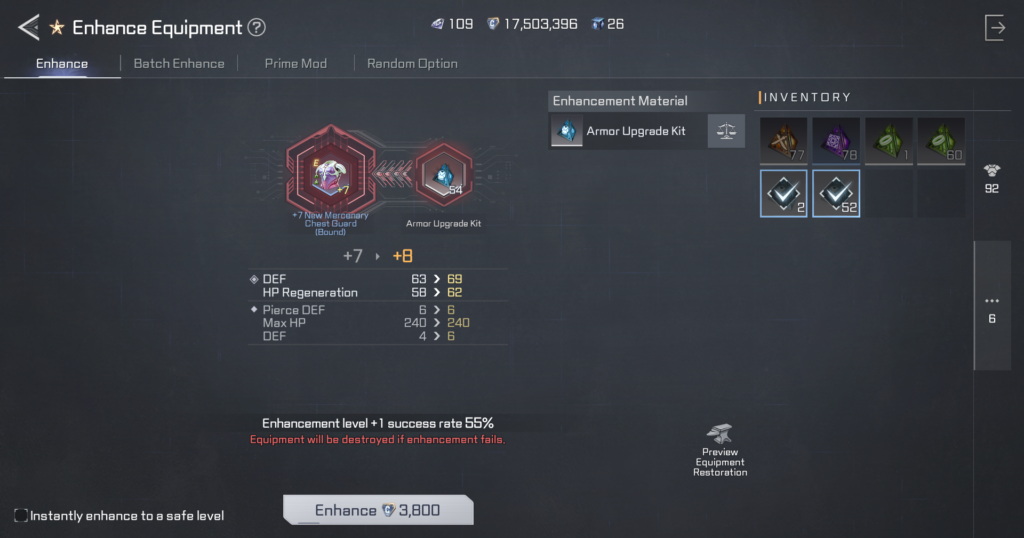
Enhancing equipment can make your character stronger, but it also carries risk.
In RF ONLINE NEXT, enhancement can fail, and gear may break at higher levels. The source notes that enhancement from +1 to +5 is safe, but the risk increases from +6 onward.
If a quest asks you to enhance equipment, do not use your main weapon or favorite armor. Use a fresh or disposable item instead. This helps you complete the quest without risking your best gear.
10. Gacha Tickets Must Be Used from the Inventory
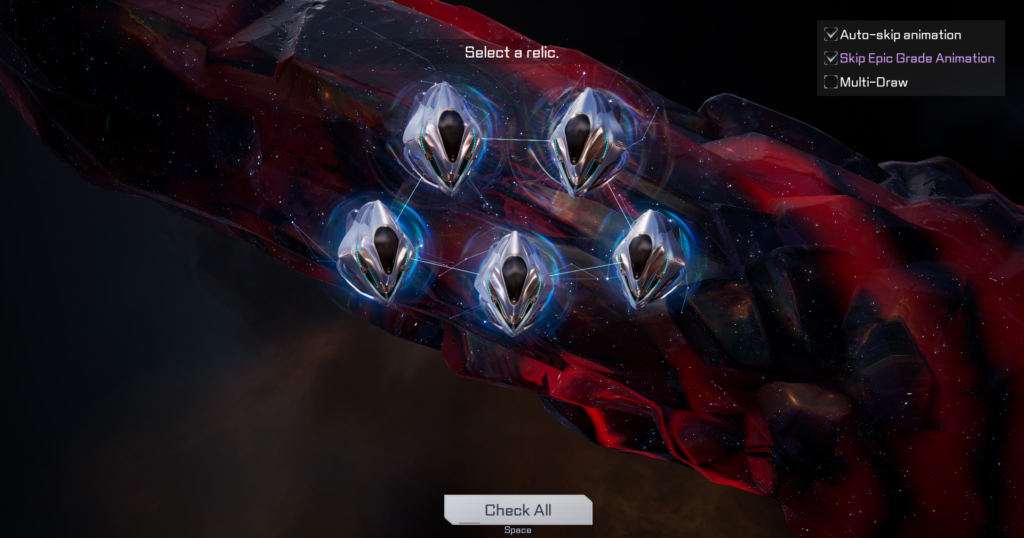
The game’s gacha system includes items such as Biosuits and Rovers.
Some players may get confused when they enter the main gacha menu and only see premium currency options. If you receive free gacha tickets from events or rewards, you may need to open your inventory and use the ticket item directly from there.
This simple trick can help players avoid spending premium currency by mistake.
Small Tips Can Save a Lot of Time
Many of these tips may sound simple, but they can make a big difference over time.
Using Auto Quest properly, preparing Offline Mode, warping instead of walking, registering Collection items, keeping potions ready, saving Return Tickets, doing Side Quests, and protecting your main gear can all help make progression smoother.
For new players, learning these small habits early can make the journey across Novus much easier.
About RF ONLINE NEXT
RF ONLINE NEXT is the official sequel to RF Online and takes place in a large sci-fi universe where machines, war, and survival shape the future.
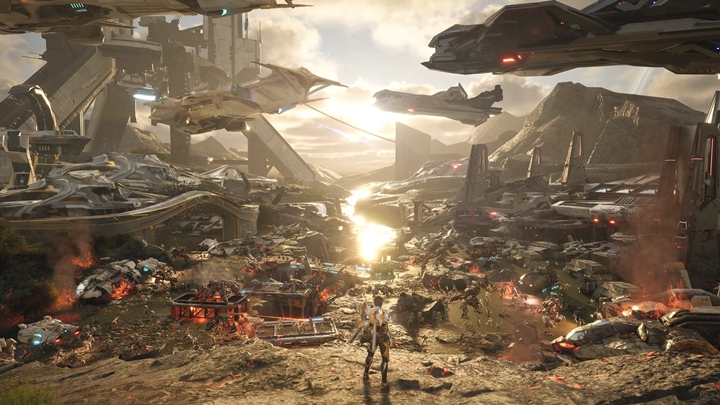
The game features large-scale battles, strategic combat, the Biosuit system, battlefield tools such as MAU and launchers, and the return of memorable systems like Animus summons.
At the center of the game is the Mining War, a large faction conflict where players fight for resources, territory, and strategic dominance.
RF ONLINE NEXT is available today on the App Store, Google Play, Netmarble Launcher, and the Epic Games Store.
For more information about RF ONLINE NEXT, please visit the official website and community channels.
Download the game : https://bit.ly/4enXDSP
Website : https://bit.ly/4enXDSP
Facebook : https://bit.ly/4ghPPEM
RF ONLINE NEXT becomes much easier once players understand its small convenience systems. Auto Quest, Offline Mode, warp travel, Collection bonuses, shortcut automation, and Return Tickets all help reduce wasted time. For SEA players starting the game now, these 10 simple tips can make early progression smoother and help avoid common beginner mistakes.